
Have you ever received a message that says “Sent via RCS” and wondered, “What does RCS mean in text?” 🤔 You’re not alone! With texting evolving every year, understanding RCS has become essential for anyone who wants smoother, faster, and richer communication.
In this comprehensive guide, we’ll break down everything about RCS meaning in text, how it works, its benefits, examples, and why it’s becoming the standard in messaging apps worldwide.
What is RCS in Texting? 📩
RCS stands for Rich Communication Services. It’s the next-generation messaging protocol designed to replace traditional SMS and MMS. Unlike SMS, RCS allows interactive, multimedia-rich, and real-time messaging across compatible devices and carriers.
- Origin: Introduced by the GSMA (Global System for Mobile Communications) in 2008, RCS aimed to modernize texting with features similar to WhatsApp and iMessage.
- Functionality: Send high-resolution images, videos, audio messages, and even see typing indicators.
- Universal Messaging: Works across most Android devices and several carriers worldwide.
RCS vs SMS: Key Differences ⚡
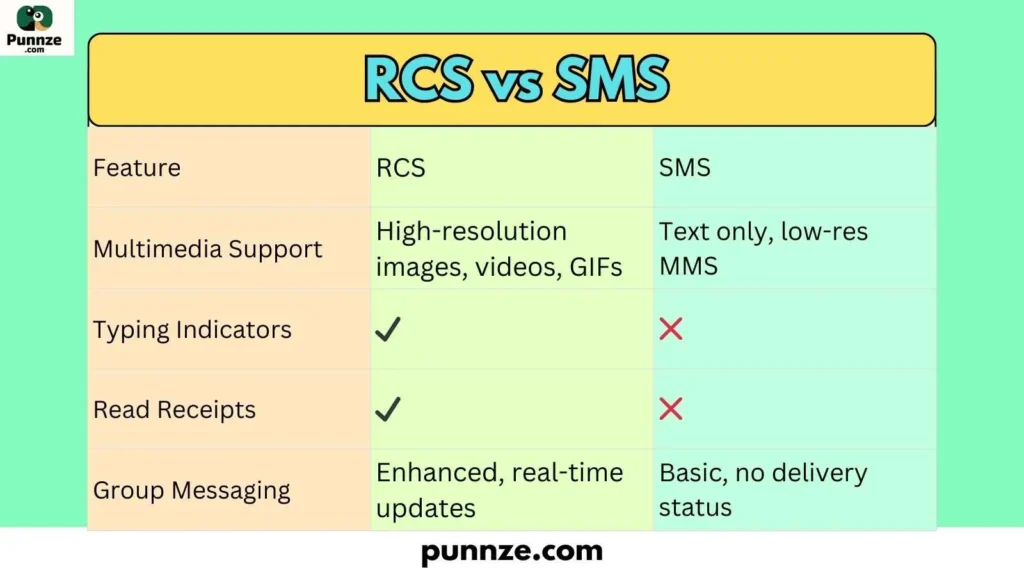
| Feature | RCS | SMS |
|---|---|---|
| Multimedia Support | High-resolution images, videos, GIFs | Text only, low-res MMS |
| Typing Indicators | ✔️ | ❌ |
| Read Receipts | ✔️ | ❌ |
| Group Messaging | Enhanced, real-time updates | Basic, no delivery status |
Origin of RCS: How It All Began 🌍
The RCS protocol was initiated to solve the limitations of SMS. Back in the early 2000s, texting was mostly limited to 160 characters, plain text, and basic MMS media. The GSMA envisioned a world where users could share media, know when messages were read, and chat in real-time without switching to third-party apps.
- 2008: Concept and specifications released by GSMA
- 2012: Initial carrier adoption in Europe and Asia
- 2016–2020: Google integrated RCS into Android Messages app
- 2025: RCS now widely available globally across major carriers
Why You’re Seeing “RCS” in Text Messages 🧐
When a message shows “Sent via RCS”, it means:
- The message uses Rich Communication Services protocol instead of SMS/MMS.
- You can send high-quality images, videos, GIFs, or audio.
- You may see read receipts and typing indicators.
- It ensures faster delivery and reliable messaging on compatible devices.
Common Uses of RCS in Texting 📲
RCS is designed to enhance communication, especially for modern users who want more than basic SMS:
- Professional messaging with images, PDFs, or location attachments
- Group chats with interactive updates
- Business promotions using chatbots with rich content
- Enhanced notifications like boarding passes, delivery updates, and reminders
Examples of RCS Messages ✨
Here are real-world examples of how RCS messaging looks and works:
- Example 1: “Hey! Are we still meeting at 6 PM? Typing indicator visible… ✅”
- Example 2: “Here’s the PDF of the contract 📄 Delivered & Read”
- Example 3: “Check out this photo from our trip 📸 High-res image sent”
Benefits of RCS Over Traditional SMS 🎉
- Interactive Conversations: Chat like WhatsApp without leaving your default messaging app.
- Rich Media Support: Send videos, images, and GIFs without compression.
- Real-Time Indicators: Know when someone is typing or has read your message.
- Enhanced Group Messaging: Add or remove participants easily and get real-time updates.
- Business-Friendly: Companies can use RCS for interactive promotions and customer support.
Technical Features Behind RCS 🔧
RCS runs over IP-based networks instead of traditional cellular networks. Here’s a breakdown:
- Protocol: Uses SIP (Session Initiation Protocol) for communication
- Encryption: End-to-end encryption in select apps (e.g., Google Messages)
- Delivery: Real-time push messages, faster than SMS
- Integration: Works across carriers without third-party apps
How to Enable RCS on Your Phone ⚙️
Activating RCS is straightforward. Here’s how:
- Open your default messaging app (e.g., Google Messages)
- Go to Settings > Chat features
- Toggle Enable chat features ✅
- Wait for activation confirmation from your carrier
Tips for Smooth RCS Messaging 💡
- Ensure both sender and receiver support RCS
- Use stable Wi-Fi or mobile data
- Keep your messaging app updated
- Check carrier compatibility if issues arise
RCS for Businesses: A Marketing Game-Changer 💼
Many companies are adopting RCS for direct communication with customers. Here’s why:
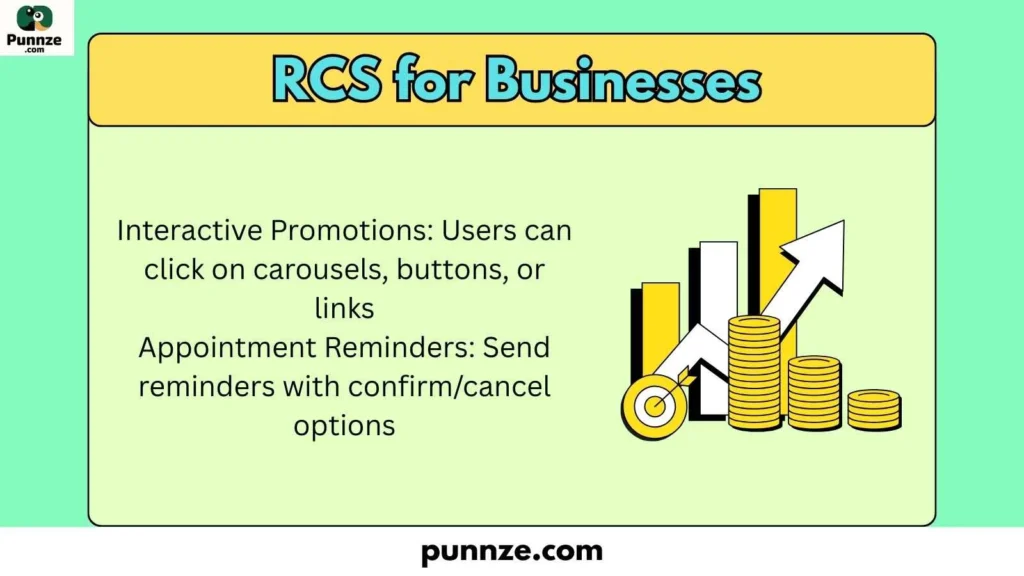
- Interactive Promotions: Users can click on carousels, buttons, or links
- Appointment Reminders: Send reminders with confirm/cancel options
- Delivery Updates: Track packages in real-time
- Enhanced Branding: Use logos, images, and rich media in messages
RCS Security and Privacy Considerations 🔒
While RCS is more advanced than SMS, security varies:
- Not all RCS messages are end-to-end encrypted by default
- Always check your app’s settings for encryption options
- Be cautious with sensitive business or personal information
RCS Adoption Worldwide 🌐
RCS is rapidly gaining global traction:
- Europe and Asia saw early adoption in 2015–2020
- North America adoption increased with Google’s push for Android devices
- Global carriers are now standardizing RCS support by 2026
Common RCS Abbreviations and Terms 📖
| Abbreviation | Meaning |
|---|---|
| RCS | Rich Communication Services |
| SIP | Session Initiation Protocol |
| MMS | Multimedia Messaging Service |
| SMS | Short Message Service |
RCS vs OTT Messaging Apps 📲
Many wonder how RCS compares to apps like WhatsApp or iMessage:
- RCS: Integrated into default messaging, no app install needed, carrier-dependent
- WhatsApp/iMessage: Requires app, end-to-end encryption, global network, uses data
Examples of RCS in Daily Life 🌟
- Sharing travel photos with friends without image compression
- Receiving real-time boarding passes for flights ✈️
- Business sending interactive surveys or polls to customers
- Real-time group chat updates during family events
Challenges of RCS Adoption ⚠️
- Carrier compatibility varies globally
- Some devices may not support full features
- Security concerns if default encryption is not used
- Limited adoption outside Android ecosystem (iOS uses iMessage)
Future of RCS in Text Messaging 🔮
The future looks bright for RCS. Experts predict:
- Full global adoption across carriers
- Improved encryption and privacy features
- Integration with AI and smart messaging assistants 🤖
- Replacement of SMS and MMS as standard texting protocol
FAQs
1. Is RCS free to use?
Yes, RCS uses data or Wi-Fi for messaging, so there’s no extra cost beyond your mobile plan.
2. Can iPhone users send RCS messages?
No, iPhone uses iMessage instead. RCS works primarily on Android devices.
3. How do I know if a message is RCS?
Your messaging app may show “Sent via RCS” or enable chat features.
4. Does RCS replace WhatsApp?
No, RCS complements SMS and MMS. WhatsApp remains a separate app-based service.
5. Are RCS messages secure?
Partial. Some messages are encrypted, but end-to-end encryption may not always be default.
Conclusion:
RCS, or Rich Communication Services, is revolutionizing texting. It allows richer media, real-time indicators, and business-friendly features that traditional SMS cannot.
While adoption is still growing, RCS is quickly becoming the modern standard for Android messaging. Remember to enable chat features, ensure device compatibility, and enjoy faster, interactive conversations. 📱💬

I’m passionate about explaining meanings in a straightforward and friendly way. On Punnze, I help readers understand words and ideas without confusion.